
AKAYUKI: Steel Blossoms Red Settings and Mouse Sensitivity
Open Settings with M and find Mouse Sensitivity to change mouse speed in AKAYUKI: Steel Blossoms Red on desktop.
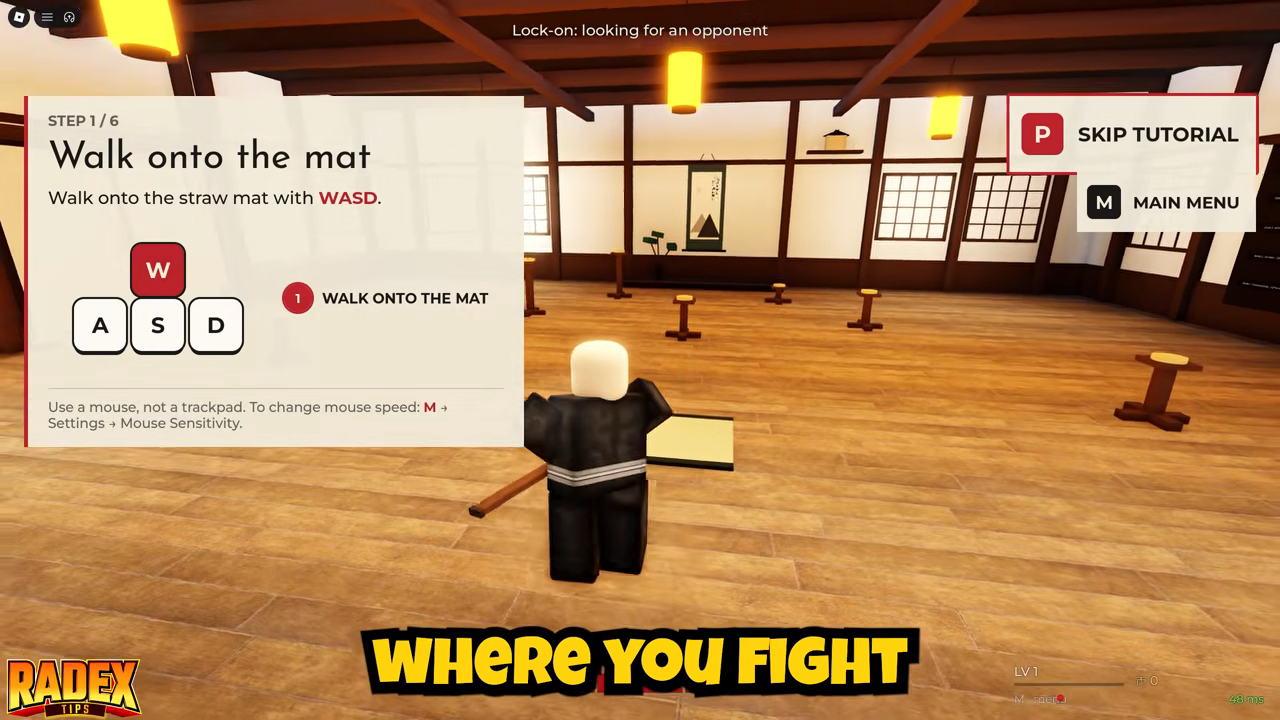
On desktop, press M to open the in-game menu, choose Settings, then adjust Mouse Sensitivity to change mouse speed in AKAYUKI: Steel Blossoms Red.
Mouse Sensitivity is the option to look for when mouse movement feels too fast or too slow. The dojo tutorial calls this adjustment “mouse speed,” so that wording and the Mouse Sensitivity label refer to the same setting.
The tutorial also recommends using a mouse rather than a trackpad. This advice appears alongside the settings shortcut during the first dojo lesson, which asks you to walk onto the straw mat with WASD. These instructions describe keyboard-and-mouse play, so the M shortcut here is for that desktop setup.
For other interface and input topics, see the menus and controls guide.