AKAYUKI: Steel Blossoms Red lock-on guide: Q and 1v1 fixes
Use Q to lock onto an opponent and learn about the 1v1 targeting and white-outline fixes documented in patch 1.3.11.
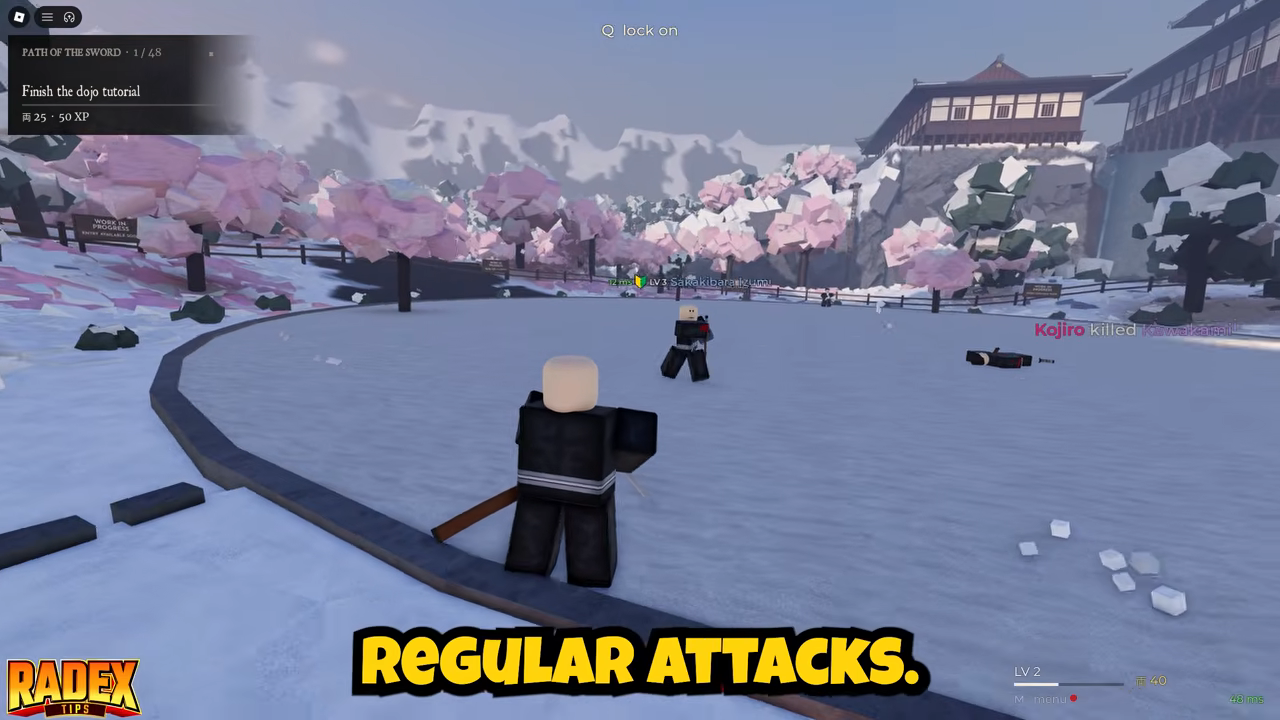
Press Q, identified by the top-center “Q lock on” prompt, to lock onto an opponent in AKAYUKI: Steel Blossoms Red. Patch 1.3.11 also fixed an opponent staying outlined in white during 1v1s.
During a 1v1, your intended lock-on target is your duel opponent. Players outside the duel are not intended targets.
Using lock-on during combat
The Q prompt identifies the lock-on key. During a 1v1, both duelists are intended to lock onto each other. Patch 1.3.11 addressed incorrect duel targeting and an opponent staying outlined in white.
Lock-on can be followed immediately by an attack in open combat. For example, a nearby fighter can be locked onto and then struck with a slice using hold left click, swipe right. Those mouse inputs belong to the attack that follows targeting. Q remains the lock-on input—the swipe is not an alternative way to select an opponent.
For more on the attack inputs themselves, see the katana controls guide.
What targeting should do in a 1v1
Within a 1v1, both duelists are intended to lock onto each other. If your target is someone outside the duel, or one duelist has no target while the other targets an outsider, that does not match the intended duel behavior.
Patch 1.3.11 addressed that specific targeting bug: one player could lock onto nobody while the other locked onto players outside the 1v1. The same patch also fixed an opponent incorrectly remaining outlined in white. These fixes apply to the 1v1 behavior described through version 1.3.12.
Patch 1.3.11 fixed an opponent staying outlined in white during 1v1s. The patch history explains why older targeting behavior may differ from the fixed 1v1 behavior.
Related Guides
PvP Combos and Inputs
Practice the mouse swipe attack, recognize rear attack opportunities, and distinguish Iai and Dual wield sequences.
PvP Fights and Rematches
Understand hit placement, rear threats and retreating, then distinguish open fights from scored first to three rematches.
Update
Follow Iai balance and draw fixes, 1v1 targeting changes and the name-buff display in the game's update history.